TutorialGeneral
How to Import a SimHub Replay
Learn how to import a SimHub telemetry replay file.
3 minutes
3 steps- 1
Open Replay Menu
If for any reason you need or wish to import a replay file for the chosen and selected game, you will need to navigate to the same Replay menu at the top of SimHub and press the Replay function.
- 2
Import the File
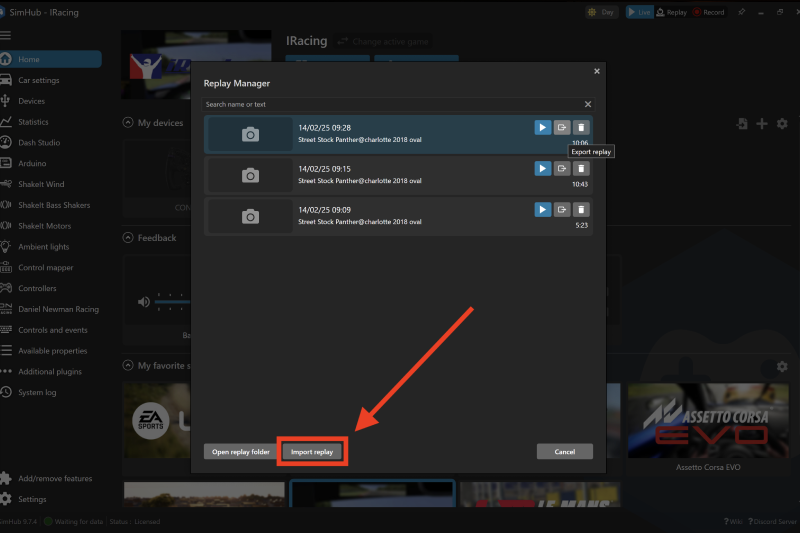
You can then select the Import Replay function at the bottom left of the screen, and locate your chosen replay file as stored on your PC.
- 3
Access the Replay
Once imported the replay will be available in your list of SimHub replays.
Related Content
Still need help?
Open a ticket and we'll get back to you with the article context attached.